

My experience using OpenAI’s Codex, Figma Make, and AI music-generation tools to build and publish an iPhone app — without writing a single line of code.
It seems like almost everyone in the tech industry has an AI side project they're building these days. A few weeks ago, I decided to join the bandwagon. Here’s my experience.
I've been following the rapid progress in AI coding agents and experimenting with various tools. They've become incredibly powerful, and I wanted to share, step by step, just how easy it has become to build something useful with AI.
If you're already developing software with AI, there might not be much new for you in this post. But if you haven't tried it yet, I hope my experience gives you an idea of just how accessible software development has become.
Rather than simply playing around with the tools, I wanted to build something genuinely useful for myself. The question was simple: How easy would it be to build a proper iPhone app using AI?
I expected it would take perhaps a couple of weeks to have the first working version ready. Two days later, I had a functioning iPhone app. And I hadn't written a single line of code.
After another couple of weeks of polishing the app, integrating various AI music-generation services, and fixing small details, I had a version I was happy enough to publish on Apple's App Store.
Funny enough, getting the app through Apple's publishing process took longer than developing the app itself. But more on that later.
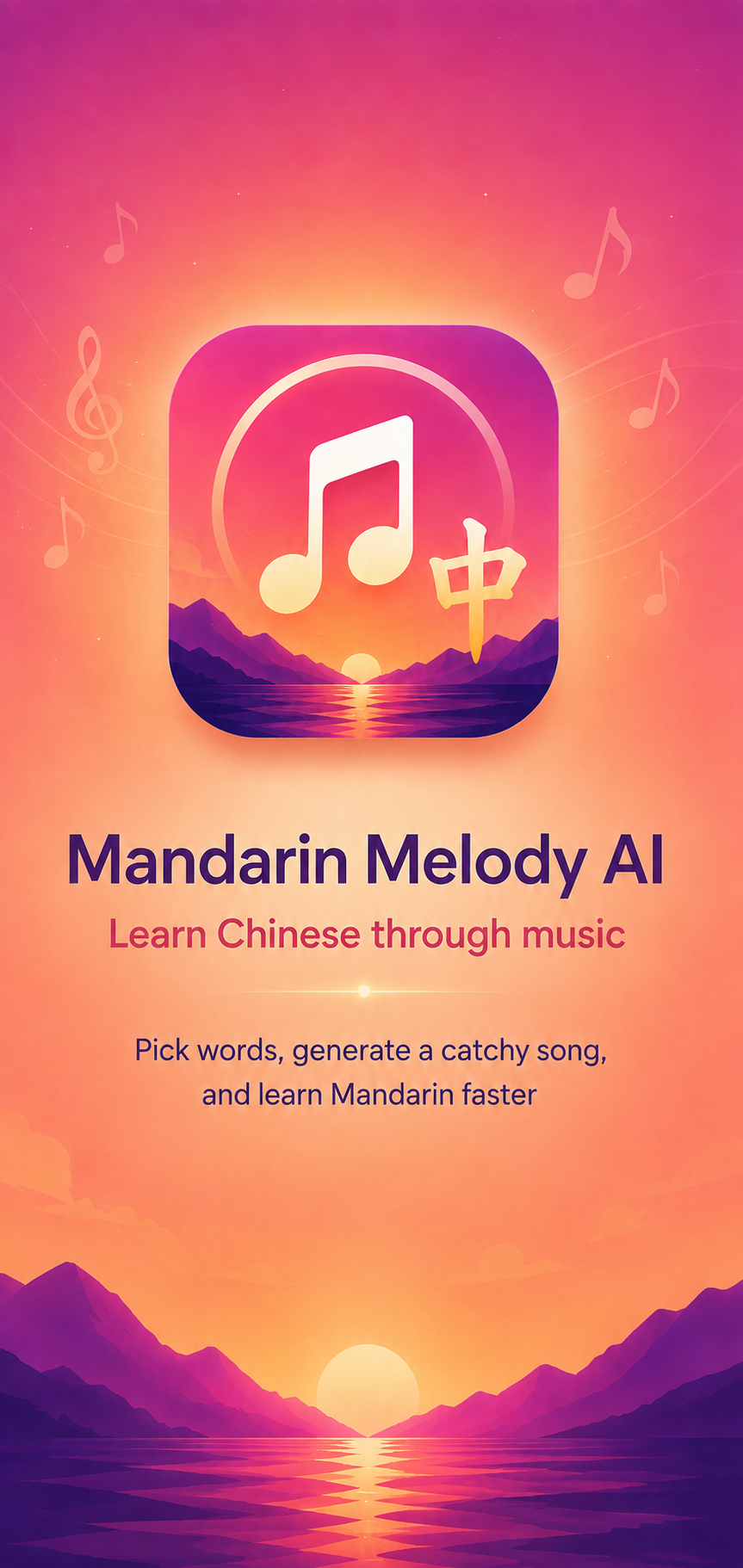
The app is called Mandarin Melody, and it helps you learn Chinese through music. It generates personalized Chinese-language songs based on the vocabulary you want to learn. The idea is to make Chinese learning more enjoyable by creating music with precisely the words you're studying.
In this blog post, I share my experience developing the app with AI tools. I'll go through the actual development workflow, what worked surprisingly well, the challenges I encountered, and some higher-level thoughts.
There were quite a few WOW moments along the way.
Where did the idea for Mandarin Melody come from?
I've been studying Mandarin Chinese for quite a few years. I've previously written about my favorite resources for learning Mandarin and my experience using private online tutors.
I'm currently studying HSK6, which is the advanced level of the Mandarin proficiency test for foreigners. At this stage, you're learning quite a lot of vocabulary that isn't commonly used in everyday conversations. Many of these words belong to 书面语, or more formal written Chinese.
This creates a problem. You might study a new word in your HSK textbook, practice writing it, use it in a few example sentences, and then not encounter it again for weeks. Even though I live in Shanghai and speak Mandarin every day, there are many HSK6 words I rarely get to use in real life.
I also enjoy listening to Mandarin music. I have a fairly long playlist on QQMusic app, and listening to songs in Mandarin has been one of my favorite ways to create additional language exposure. However, the songs rarely contain the specific vocabulary I'm trying to learn.
This got me thinking: what if I could generate Mandarin songs that contain exactly the vocabulary I'm trying to learn? I knew the quality of AI-generated music has become surprisingly enjoyable.
Imagine you've just had a Chinese class, either in a classroom or with a private tutor. You learned ten new words. Instead of simply reviewing them from your notebook or flashcard app, you could enter those words into an app, select your favorite music genre, and generate a song incorporating them.
You could then listen to the song while walking and commuting. After listening to the same catchy song ten times, some of those difficult words would finally stick, and you would get exposure how to use the words in sentences.
That became the idea behind Mandarin Melody. Also, this app seemed technically compact enough that I could experiment without committing months of my life to the project.
It took me a while to find an idea that was both personally useful and interesting enough to keep me motivated. I think this turned out to be quite important, as I'll explain later.
Step 1: From a few sentences to a complete app concept with ChatGPT
I started by describing the idea to ChatGPT in just a few sentences.
Essentially, I wanted an app where users could select Chinese vocabulary, choose a music style, generate a song, and listen to it while following the lyrics.
Next, I asked ChatGPT to expand this concept into a comprehensive prompt that I could give to Figma Make, an AI-powered UX design tool.
ChatGPT generated approximately three pages of text, detailing the various screens, user flows, and features the app should include.
What surprised me wasn't simply the length of the response. ChatGPT had come up with a substantial part of the product concept itself. It proposed features such as karaoke mode, vocabulary review, different music genres, and several other ideas I hadn't explicitly considered.
Of course, some suggestions were unnecessary, and I didn't want the app to become overly complicated. But I was impressed by how much useful product thinking AI could contribute from such a simple initial description.
Within minutes, I essentially had a product specification that would traditionally have required quite a bit of brainstorming between a product manager, designer, and perhaps a few other people.
This was my first small wow moment.
Step 2: Figma Make created the entire UI — including the user flow
Next, I wanted to turn the product specification into an actual app design.
For this, I used Figma Make.
If you're not familiar with Figma, it's one of the most popular tools for designing application user interfaces. Traditionally, designers would manually create each screen, draw buttons, define layouts, and connect screens to create an interactive prototype.
Figma Make is an AI-powered version of this workflow. You can describe the application you want to build using natural language, and it generates the UI for you.
I literally copied the three-page prompt from ChatGPT, pasted it into Figma Make, and waited for a few minutes.
Then came the actual big WOW moment.
Figma Make had generated almost the entire application design. There were multiple screens, including onboarding, vocabulary selection, music generation, and the song player.
But what really surprised me was that it hadn't just generated static screens. It had created the entire user flow as well. Have a look, I’ve shared the Figma mockup here.
You could click a button, and the prototype would navigate to the next screen. You could go through the app almost as if it were already a functioning product.
All of this from a single text prompt!
Naturally, the initial design wasn't perfect, and had a strong AI flavor in it, but I was quite happy with the overall result. There were some elements I wanted to adjust, and the process was surprisingly easy. I could simply write a sentence or two describing what I wanted to change, and Figma Make would modify the design accordingly.
No manual drawing or sketching was necessary.
Looking back, I think this was one of the most impressive parts of the entire development process. Within a short time, I had an interactive prototype that looked reasonably professional, without having spent any time learning how to manually operate the design tools.
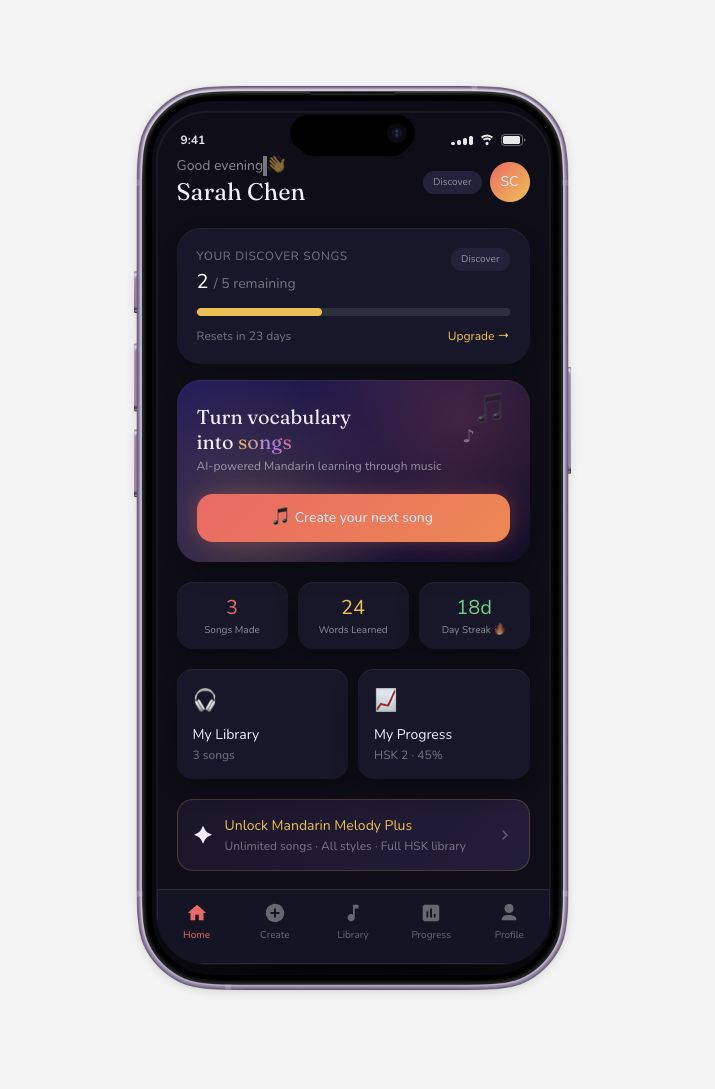
Yes, it looks a bit too much of “AI design”, but a good start with one prompt, aye?
Step 3: Turning the Figma designs into a real iPhone app with Codex
Once I was happy with the designs, the next step was to actually implement the app.
For this, I used OpenAI Codex, an AI coding agent that can write and modify code, run commands, and help implement software features.
My original plan was to connect Figma directly to Codex using MCP (Model Context Protocol). MCP allows AI tools to access external services and exchange information, and there was already an integration available between Figma and Codex.
This would have been the ideal solution, as Codex could have accessed the designs more directly.
Unfortunately, I couldn't get the connection working properly. I spent some time trying to figure out the problem, but eventually decided to go with a simpler approach.
I took screenshots of every screen in Figma Make and uploaded them to Codex, with instructions to implement the same UI in an iPhone app.
And that worked surprisingly well.
I had to install Xcode, Apple's development environment, and a few command-line utilities. I also needed to understand the basic process of building the app and deploying it to my own iPhone for testing.
Fortunately, Codex guided me through practically everything.
My development workflow became quite straightforward. I would ask Codex to implement a new feature, wait for it to finish, deploy the updated app to my iPhone through Xcode, and test it myself. Whenever something didn't work, I would ask Codex to problem solve. Then repeat.
The feeling of getting stuck has almost disappeared
When I was studying Computer Science, one thing I absolutely hated about programming was getting stuck.
You would encounter some technical problem, perhaps related to a library, configuration file, or obscure error message. Then you could spend hours searching through documentation, Stack Overflow discussions, and various forums trying to solve it.
Sometimes the problem was something incredibly simple, but identifying the root cause could take an entire afternoon.
That feeling of getting stuck was one of the reasons I never wanted to become a professional programmer.
With Codex, this problem was practically gone.
Whenever I encountered an error, I simply copied it into Codex and asked it to investigate and fix it. Sometimes it took a few iterations, but in my experience, it managed to resolve every technical obstacle I encountered.
I should mention that my Computer Science background certainly helped. When Codex discusses concepts such as Git, SQL databases, APIs, or software architecture, it's useful to understand what these things mean.
However, I don't think a Computer Science degree or skills are really necessary for building simple applications anymore. Having a general understanding of software development concepts is helpful, but being able to write the code yourself is no longer required.
In fact, I haven't written a single line of code during the entire Mandarin Melody development process.
Getting the UI right took quite a few iterations
While Codex was excellent at implementing the basic app functionality, reproducing the Figma designs accurately required more work.
When I initially provided the screenshots, Codex created something that generally resembled the designs. But the details weren't always right. Some buttons were slightly misplaced, the spacing was different, and certain elements didn't look as polished as I wanted.
I came up with a simple way to improve the results.
I would take a screenshot of the version Codex had implemented and provide it alongside the original Figma screenshot. Then I'd ask Codex to compare the two and adjust the implementation to match the reference more closely.
Sometimes I needed several rounds of this before I was happy with the result.
A surprisingly large part of the three-week development period was spent polishing these UI details. I wanted the app to feel pleasant to use, not just technically functional.
This also made me realize how important your own visual judgment still is. AI can produce something that looks good very quickly, but you still need to recognize what needs improvement and have a clear idea of how you want the finished product to look.
From local backend to proper Railway backend
In the first prototype, Codex created a simple backend system running locally, using a basic database solution. I don’t even remember the name of these tools. But it worked well to just try things out.
Soon, however, I needed to move to a proper backend system with a production-grade database software. Codex was proactively suggesting when it would be a good time to do this transition. I could then ask it to compare different hosting providers and their pricing. There’s plenty of options out there, and I decided to go with Railway for backend hosting and PostgreSQL as database. I could now store my API keys inside there and have the backend running reliably.
At this point, I also set up private GitHub repository for version management. Every time I would ship new features, commit changes to GitHub, Railway would automatically download the latest version from there and deploy it.
Do you need the most expensive AI model?
Interestingly, I started developing Mandarin Melody using the regular $20-per-month ChatGPT subscription.
Some friends laughed at me because I was using the older GPT-5.5 model instead of the latest and most capable one. But my app was relatively simple from a technical perspective, and the model was doing perfectly fine.
It was also fast, which was useful when I was iterating through lots of small changes.
Only after a couple of weeks, when I started integrating various AI music-generation services, did I upgrade to a higher subscription tier costing $100 per month.
At that point, I started using the more capable GPT-5.6 model with Extra High reasoning effort. The music AI integrations sometimes required more complicated problem-solving, and I noticed that the newer model was much more capable and didn’t make so many mistakes as the 5.5 model.
My impression was also that the $100 plan sometimes worked faster, although I didn't perform any benchmarking.
The takeaway is that you don't necessarily need the most expensive AI model to build a useful application. You can experiement with simple app ideas just with the $20 plan.
Step 4: Testing different AI music-generation services
Now that I had the basic iPhone app working, the next important task was integrating actual music generation.
This was an interesting research project on its own. And one of the most laborous ones. Because you actually had to use your human judgement to listed to the generated music.
There are numerous AI music-generation services available today, and the market is developing incredibly quickly. Some of the best-known services are Suno, ElevenLabs, and Mureka, but there are also Google's Lyria, open-source alternatives such as YuE2, and many others.
I experimented with several of these models, generating Mandarin songs using different vocabulary lists and music styles.
The results varied quite a bit. Some models produced really impressive music, while others struggled with Mandarin pronunciation or generating natural-sounding Chinese lyrics. Google's Lyria, for example, wasn't particularly good at Mandarin in my testing.
But music quality wasn't the only consideration.
AI music models have surprisingly different pricing structures
Most major AI music-generation services offer consumer-facing products, often with relatively affordable monthly subscriptions. These are great if you want to create songs yourself through their websites.
However, if you're building an application that generates music for other users, you typically need API access. APIs allow your software to send requests directly to a music-generation model and receive the generated audio automatically.
These are often considerably more expensive than consumer subscriptions, and their usage rights, limits, and reliability can be different.
To complicate things further, some models are accessible through third-party API providers. These providers may offer access to the same underlying models, sometimes with very different pricing.
Some charge per song, some per minute of generated music, and others based on the actual computing resources consumed.
Then there are open-source models, which you can potentially run on your own infrastructure and pay primarily for the computation.
It took quite a bit of time to compare all these alternatives.
Technically integrating a new music-generation API was usually quite easy. I could simply provide Codex with the API documentation and ask it to implement the integration.
What took time was all the surrounding work: registering accounts, adding credits, understanding the pricing, generating sample songs, comparing results, and checking the commercial usage terms.
Much of this was manual work that couldn't simply be delegated to Codex.
The economics of AI music generation are still challenging
Let's take a simple example.
Suppose generating one song through an advanced AI music model costs $0.15. If a user generates 30 songs per month, approximately one song per day, that's already $4.50 in direct AI music-generation costs.
Now imagine you're charging $10 per month for the app.
Nearly half of your revenue is going directly into music generation, before accounting for Apple's commission, infrastructure costs, marketing, and everything else.
That's not a particularly attractive business model. And $10 per month is already quite a lot for a relatively specialized language-learning app.
This led me to explore slightly older generations of music models, which often offer significantly better pricing while still producing reasonable-quality music.
The goal is to find a balance between music quality, Chinese pronunciation, reliability, and cost. For Mandarin Melody, having the absolute best music-generation model is not necessarily as important as generating enjoyable songs that correctly incorporate the vocabulary users want to study.
I'm optimistic that the economics will improve considerably over the coming months and years. The AI music space is developing quickly, and open-source models are also improving. As competition increases and computation becomes more efficient, I expect the cost of generating music to continue decreasing.
Eventually, this might become a race to the bottom, with generating a song becoming very cheap.
For now, though, choosing the right model is an important part of making an AI music application commercially feasible.
Step 5: Publishing the app on Apple's App Store — welcome back to bureaucracy
Here's perhaps the funniest part of this story.
It took me approximately couple of weeks to build and polish Mandarin Melody into an app I was happy to publish.
Getting it published on Apple's App Store took longer.
Yes, seriously.
Apple says that approximately 90% of submissions are reviewed within 48 hours. Perhaps that's still representative of the average submission, but my experience was quite different.
After experiencing how quickly AI could design and develop software, going through Apple's administrative processes felt like stepping back into the old world.
First, you need to register for the Apple Developer Program, which costs approximately $100 per year. Then you need to set up App Store Connect, provide various personal and banking details, complete tax forms, prepare the app listing, and handle a number of compliance requirements.
None of these things is particularly difficult individually, but going through everything takes time. There are also verification steps where you simply have to wait a few days before proceeding.
Apple's app review took more than two weeks
Once I finally completed all the paperwork, I submitted the app for review. I waited for over two weeks.
During that time, I contacted Apple support a couple of times to ask what was happening. I started wondering whether the rapid growth of AI-generated apps must have increased the review backlog quite a bit.
Eventually, I received the approval notification. What surprised me was that the app passed the review on the first attempt, without any requested modifications!
I had talked to some friends who had published apps before, and they warned me that the first submission could involve some back-and-forth with Apple. I was mentally prepared to spend another few days fixing whatever issues the reviewers identified.
But no. It was approved.
Apparently, AI can now build an iPhone app faster than a human can navigate Apple's administrative and compliance processes.
The strange productivity problem of AI coding agents
One unexpected challenge with AI-assisted development is figuring out what to do while AI is working.
When you ask Codex to implement a feature, it might take anywhere between five and fifteen minutes to complete the task.
So what do you do during those five to fifteen minutes?
You could open Twitter and start doomscrolling, but that's probably not a good idea. You'll lose your focus and get distracted by something completely unrelated.
If you're developing from home, you could get a glass of water and enjoy the view from your balcony. I did this quite often.
But eventually, you start realizing that to become more productive, you could run several AI coding sessions simultaneously.
While one Codex session was developing the iPhone app, I started using another session to work on the Mandarin Melody website. Sometimes, while waiting for a task to finish, I'd prepare new prompts for features or bug fixes in my backlog.
This worked surprisingly well.
I felt I was becoming quite an efficient multitasker, until I met a female developer who told me she regularly runs seven different AI coding sessions simultaneously.
Seven!
She also mentioned that by the end of the working day, she was completely exhausted. You have to constantly switch between different tasks, remember what each AI agent is doing, review the results, and decide what instructions to give next.
I can imagine how mentally demanding that becomes.
It's an interesting change in how software development works. Previously, your output was largely limited by how quickly you could write and debug code. Now, you're increasingly managing multiple AI agents that do the actual coding for you.
The bottleneck shifts toward your ability to formulate good instructions, coordinate parallel tasks, and review the quality of the output.
AI coding is surprisingly addictive
I also experimented with Codex's remote-use functionality.
Basically, I could leave my main computer running at home and control Codex from my phone while I was somewhere else.
I've seen some friends posting about having their most productive AI coding sessions while doing strength training at the gym. They ask AI to implement something, do a few sets of exercises, check the results, and then give the AI another task.
I can see how this could be incredibly efficient.
After all, AI coding is surprisingly addictive. You constantly see progress being made, and each completed task gives you a little feeling of accomplishment. It's tempting to keep the process running all day.
I tried remote development a few times, but eventually decided against it.
When I'm outside doing something else, I actually want to do that other thing. If I'm exercising, walking, or spending time with other people, I don't want to keep checking whether an AI agent has finished implementing another feature.
The brain needs rest, too. AI agents are supposed to serve you, not the other way around.
What skills do you actually need to build software in the AI era?
After this experience, I've been thinking quite a bit about what makes someone effective at building software today.
It is pretty clear that for most ordinary applications, knowing how to code yourself is no longer necessary to get a working product built.
Of course, this doesn't apply equally to everything. Building complex infrastructure, security-critical systems, or large production software still requires deep technical understanding. Maintaining a successful application over the long term is also a different challenge from building its first version.
But for relatively straightforward apps like Mandarin Melody, I feel the technical barrier has been reduced enormously.
And once that barrier is removed, you start realizing how many other skills are necessary to build something genuinely useful.
In my experience, three areas stand out.
1. Commitment and intrinsic motivation
When creating software becomes easy, there's an interesting danger: you lose your sense of direction.
It's a bit like taking a child into a candy store and telling them they can eat whatever they want. There's so much to choose from that they want to try everything, and eventually end up feeling sick.
AI development can create a similar problem.
You start building one app, then get excited about another idea, then discover some new AI tool you want to experiment with. Before long, you have ten half-finished projects and nothing that is actually useful.
I think this is one of the most underrated challenges with AI-assisted development.
Just tokenmaxxing and playing around with AI tools gets you nowhere if you don't have a longer-term goal.
For me, it took some time to identify an application idea that was both useful and interesting enough to commit to. I'd experimented with other ideas earlier, but they didn't feel important enough to keep working on once the initial excitement faded.
Mandarin Melody was different because it solved a problem I personally experienced. I'm studying Chinese, and I wanted more exposure to the words I'm learning. I also enjoy listening to Chinese music.
That gave me enough intrinsic motivation to spend days fixing small UI details, testing various music models, and going through Apple's frustrating publishing process.
I think the best starting point for many AI projects is to identify a real problem in your own life. When you're building something you actually want to use, it's much easier to stay committed.
2. Vision and DESIGN
Another increasingly important skill is having a clear vision of what you want to build.
You need to be able to picture how the finished application should look and behave. Once you have a reasonably clear vision, working backward from that becomes surprisingly easy with AI.
I've always felt that I have a fairly good judgement of how software or web interfaces should look and how people should interact with them.
Previously, one of the biggest barriers was communicating that vision to a team of designers and engineers. You'd explain the idea, wait for designs, review them, ask for changes, wait for implementation, and go through several more rounds of feedback.
This could easily take weeks or months.
Now, you can describe the same vision directly to AI and see something resembling the finished product almost immediately.
Of course, AI doesn't always get things right. I experienced this repeatedly when trying to match my Codex implementation to the Figma designs. But if you know what you want, it's usually straightforward to ask for more iterations.
Having good taste matters, too.
AI might generate something that looks acceptable, but is it really intuitive? Are the visual details polished? Does the user flow make sense? Is the app unnecessarily complicated?
These are judgments that still require human involvement.
As everyone has the same powerful development tools now, intuitive design will become increasingly important way to differentiate products.
3. Industry expertise
This is perhaps the most important one.
Everyone has access to roughly the same AI tools. So how can you build something better than everyone else?
You need to understand the particular problem you're solving better than other people do.
For Mandarin Melody, my years of studying Chinese gave me a fairly good understanding of the challenges Chinese learners face.
I know how HSK textbooks are structured, how difficult it can be to memorize thousands of Chinese characters, and how frustrating it is to learn new vocabulary without having enough opportunities to use it.
That experience helped me identify what kind of application would actually be useful.
For example, I originally considered making Mandarin Melody support multiple languages. The underlying AI music-generation technology can already generate songs in many languages, so technically this wouldn't have been an unreasonable idea.
But I quickly decided against it.
It’s better to solve a narrow problem really well in the beginning. This makes product development more focused and marketing considerably easier.
Mandarin has several language-specific requirements, such as displaying pinyin alongside Chinese characters and English meanings in karaoke mode. The app also includes vocabulary from standard HSK textbooks, making it easy for learners to choose words from their current chapters.
By focusing exclusively on Mandarin, I could make the product much more tailored to this particular learning experience.
Industry expertise isn't something you can simply skip because AI can write the code. You still need to understand the users and their problems. And when you are the user, the feedback loop is also much faster.
Marketing and distribution are still hard
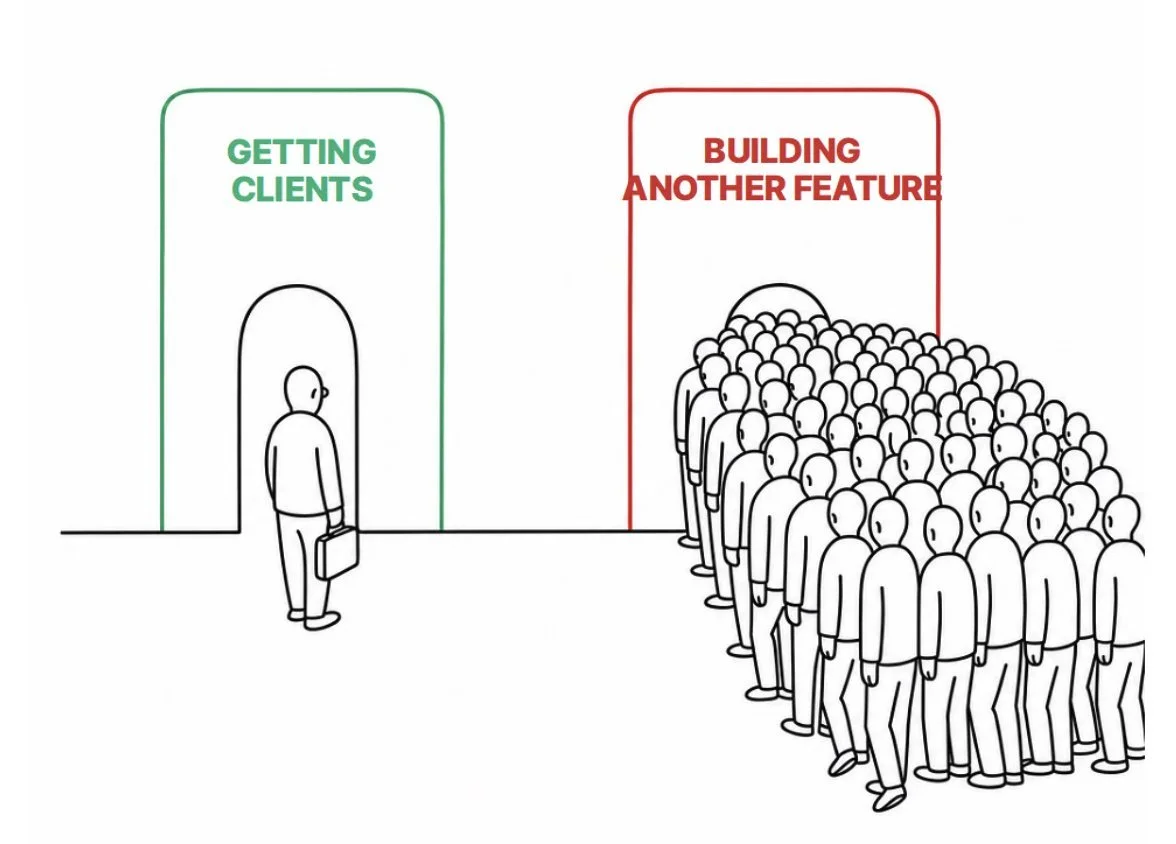
Perhaps my biggest realization from this project is that once the technical barrier disappears, you start noticing all the other barriers to creating a successful business.
The hardest one might be marketing and distribution.
AI can certainly help with marketing. You can use it to create content, research competitors, design marketing materials, analyze data, and automate many repetitive tasks.
However, many important parts of marketing still involve people.
For Mandarin Melody, I might want to collaborate with Chinese-language teachers, educational content creators, and influencers in the language-learning community.
That means finding the right people, introducing myself, exchanging emails, perhaps having meetings, negotiating collaborations, and building professional relationships.
Some parts of these processes can increasingly be automated, but the more meaningful collaborations still require human interaction.
And professional relationships take time. You cannot build professional relationships with Codex. There is no API key you can integrate, aye.
This also changes how I think about building startup teams.
If I were founding a new software company today, I probably wouldn't hire a programmer at the very beginning. I'd first try to build the initial product myself using AI, validate whether there is actual demand, and only then consider expanding the team.
I've heard some interesting examples from founders I know.
One early startup founder specifically said that their product development slowed down because they had a programmer in the early founding team. It took too much time to communicate the vision to him, and it was much faster to just communicate directly to the AI. So, the programmer was let go of the early founding team.
Another founder of a more mature startup with around 20 employees told me they had gradually reduced their development team to roughly half its previous size, while getting considerably more development work done than before AI coding tools became widely available.
One more mature SaaS company founder told me that they’ve given four $100 Codex accounts to every developer(!) in the team, and have encouraged them to tokenmaxxxx to the max, and deploy as much new features and add value to the clients as possible.
These are all individual anecdotes, and the same approach won't work for every company. Anyway there is a clear shift.
Traditionally, if you had a product idea, you needed to explain it to technical people who would then implement it. Every additional person introduced communication and coordination costs. Now, if you have a reasonably clear vision, you can increasingly direct the AI yourself.
At a later stage, when the product grows and becomes more complex, experienced programmers and technical teams will still be valuable. There are also security, scalability, and maintenance considerations that become increasingly important.
But the earliest stages of software startups have changed fundamentally and permanently. There is no way of going back to the old way.
So, what does Mandarin Melody actually do?
After all this discussion about the development process, let me briefly introduce the finished app.
The basic idea is very simple.
Imagine you've just completed a Chinese class and learned ten new words. You open Mandarin Melody, enter those words, select your preferred music style — perhaps jazz, pop, or something else — and press Generate.
Usually, around 30 seconds later, you have a personalized Chinese song incorporating the vocabulary you selected.
You can save the song and listen to it repeatedly. There's also a karaoke mode that displays the Chinese lyrics together with pinyin and English meanings, making it easier to follow along while the song plays.
For learners using standard HSK textbooks, I've included the HSK vocabulary directly in the app. You can select your HSK level, choose a chapter, and pick the words you want to practice without entering everything manually.
The app isn't intended to replace Chinese classes, textbooks, or flashcards. I still believe focused studying, writing characters, and speaking with a tutor are essential parts of learning Mandarin.
Instead, Mandarin Melody adds another way to expose yourself to the vocabulary you're studying.
You can listen to your own generated songs while walking, commuting, or relaxing. And because the songs are created around your actual study material, the vocabulary is relevant to what you're learning right now.
I initially built Mandarin Melody to help myself study HSK6 words, but the same concept could be useful for beginners, too. In fact, perhaps even more so, since normal Chinese music is often far too difficult for someone studying HSK1 or HSK2.
Example song
One of the first songs I generated was based on AI and semiconductor vocabulary I had recently been studying.
It contained only a few words such as:
芯片 (xīnpiàn - microchip)
人工智能 (rén gōng zhì néng - artificial intelligence)
未来 (wèilái - future)
And the song was simple, but catchy. Here it is:
I played the song to my wife and a few friends. You could immediately see this smile on people's faces when they realized what they were listening to. AI-generated music has become unbelievably good.
There is something hilarious about taking a boring-looking vocabulary list full of words like and turning it into a proper song.
What's next?
Mandarin Melody is now published on Apple's App Store, but I still consider it an experiment.
I don't know yet whether there's genuine product-market fit. I haven't started properly marketing the app, and this blog post could arguably be considered my first marketing effort!
If people find Mandarin Melody useful and there's sufficient demand, I'll keep developing it. If not, then perhaps it's time to move on to another project.
Either way, the last few weeks have been an incredibly educational experience.
I've learned a lot about AI coding agents, UI design, music-generation models, and the economics of running an AI-powered consumer app.
But perhaps the most important lesson isn't technical. The skills required to create a successful software product are changing. The actual coding is becoming easier and easier, while having a clear vision, understanding a particular industry, staying committed, and finding users are becoming relatively more important.
That said, I also don't believe we're entering a world where everyone will simply build all their own personalized applications. At least not in the next couple of year. Even when software is cheap to create, it still requires maintenance, improvements, support, and all the other housekeeping.
Nevertheless, the barrier between having an idea and turning it into a functioning product has never been lower.
If you've been considering building an app but thought you lacked the technical skills, I'd encourage you to give the latest AI development tools a try. You might be surprised by how far you can get in just a few days.
Hopefully, my experience provides some inspiration :-)
And finally, if you're studying Chinese, or know somebody who is…
…I'd love for you to give Mandarin Melody a try! You can download Mandarin Melody AI from the App Store or learn more at mandarinmelody.com.
If you know someone learning Mandarin, perhaps you can share this article with them.
Happy learning, and happy building!
— Mikko